




Skip to content
View in the app

A better way to browse. Learn more.

Audi Owners Club (UK)

A full-screen app on your home screen with push notifications, badges and more.

To install this app on iOS and iPadOS
  1. Tap the Share icon in Safari
  2. Scroll the menu and tap Add to Home Screen.
  3. Tap Add in the top-right corner.
To install this app on Android
  1. Tap the 3-dot menu (⋮) in the top-right corner of the browser.
  2. Tap Add to Home screen or Install app.
  3. Confirm by tapping Install.


Welcome to the Audi Owners' Club - An Independent community!

Membership is completely free, and our community is built by enthusiasts, for enthusiasts. We’re a proudly independentnon-official club, so all the help and opinions you’ll find here come directly from members with real experience of Audi ownership.

Join the club now!
 

MMI 3G high swap out for bluetooth and Sat nav upgrade

Featured Replies

Hi everyone,

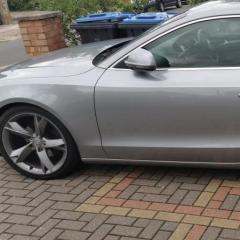
just recently brought an A5 coupe 2008 2.0T auto

it comes with MMI 3G high system with HDD satnav and has a 6 CD changer in the glove box i want to swap out the CD changer for a bluetooth device to play music as it only supports bluetooth for phone,I have been struggling to find the correct adaptor that i would need and most tutorials talk about an AMI port in the glove which i do not have.

does anyone have and suggestions that are not costly?

Also with the sat nave upgrade i have the current version

SOFTWARE VERSION (2011 last update)
HNav_EU_K0031_3_D1

Nav, database version
8R0060884_ECE 5.5.5

any suggestion or firmware that i can download to upgrade this to the new 2020 maps if this system can do this

thanks for the help guys

Dan

IMG_20200827_182932.jpg

IMG_20200818_181026.jpg

  • 1 month later...

I have a bovee tune to air adaptor in my glove box that let's me play my tunes through a Bluetooth connection, costs around £100


Create an account or sign in to comment


Background Picker
Customize Layout

Account

Navigation

Search

Search

Configure browser push notifications

Chrome (Android)
  1. Tap the lock icon next to the address bar.
  2. Tap Permissions → Notifications.
  3. Adjust your preference.
Chrome (Desktop)
  1. Click the padlock icon in the address bar.
  2. Select Site settings.
  3. Find Notifications and adjust your preference.