




Skip to content
View in the app

A better way to browse. Learn more.

Audi Owners Club (UK)

A full-screen app on your home screen with push notifications, badges and more.

To install this app on iOS and iPadOS
  1. Tap the Share icon in Safari
  2. Scroll the menu and tap Add to Home Screen.
  3. Tap Add in the top-right corner.
To install this app on Android
  1. Tap the 3-dot menu (⋮) in the top-right corner of the browser.
  2. Tap Add to Home screen or Install app.
  3. Confirm by tapping Install.


Welcome to the Audi Owners' Club - An Independent community!

Membership is completely free, and our community is built by enthusiasts, for enthusiasts. We’re a proudly independentnon-official club, so all the help and opinions you’ll find here come directly from members with real experience of Audi ownership.

Join the club now!
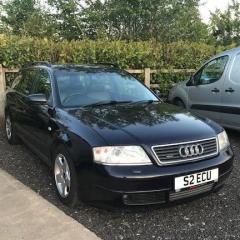
 

Audi A2 for sale

Featured Replies

Audi A2 1.4 Tdi in lovely condition for the age. 5 door lots of service history and has had recent work done such as cam belt change in 2022. Recently just had a new thermostat and new road spring and tyres. It comes with a full MOT 29/08/24. Also has 3 rear seats instead of the normal 2. Would make a perfect first car or would be ideal for an A2 enthusiast as it is a lovely example of the A2. The car is very economical because of its aluminium construction which also has the benefit of not rusting. I will surely miss this car.

£2000

Any questions please feel free to ask 🙂 

A3417622-26E4-48AA-AB3A-03E89F009D06.jpeg

466EE99E-CAF4-46D3-8BB9-D9EAE4DD9F4E.jpeg

4D9F9DC4-8029-4545-998F-FEB1C167C96A.jpeg

361532D4-7FFD-4979-B259-BD12A908DB17.jpeg

868D6F76-58A0-4229-B83C-37DCC85F2A00.jpeg

A4 b5 LOVED ALL MINE 

  • 5 months later...

I appreciate it's a bit of a long shot but do you perchance still have this car for sale?

Thanks...Dan

Create an account or sign in to comment


Background Picker
Customize Layout

Account

Navigation

Search

Search

Configure browser push notifications

Chrome (Android)
  1. Tap the lock icon next to the address bar.
  2. Tap Permissions → Notifications.
  3. Adjust your preference.
Chrome (Desktop)
  1. Click the padlock icon in the address bar.
  2. Select Site settings.
  3. Find Notifications and adjust your preference.