




Skip to content
View in the app

A better way to browse. Learn more.

Audi Owners Club (UK)

A full-screen app on your home screen with push notifications, badges and more.

To install this app on iOS and iPadOS
  1. Tap the Share icon in Safari
  2. Scroll the menu and tap Add to Home Screen.
  3. Tap Add in the top-right corner.
To install this app on Android
  1. Tap the 3-dot menu (⋮) in the top-right corner of the browser.
  2. Tap Add to Home screen or Install app.
  3. Confirm by tapping Install.


Welcome to the Audi Owners' Club - An Independent community!

Membership is completely free, and our community is built by enthusiasts, for enthusiasts. We’re a proudly independentnon-official club, so all the help and opinions you’ll find here come directly from members with real experience of Audi ownership.

Join the club now!
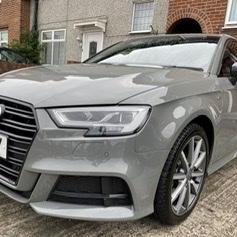
 

Tyre Pressure Query / 245 45 R18 Tyres

Featured Replies

Hi guys, just a quick query on tyre pressures.

2016 Audi A6 2.0TDI S-Line Ultra (190PS) S-Tronic / Tyres 245/45 R18 100Y XL

I have had this car just over two-weeks now and this is the first time I am checking the pressures and all the tyres are cold but the readings all displayed just under 38psi of which I have now let some air out but want to set the correct pressures.

The Drivers door tyre pressure sticker indicates the following;

FRONT 36psi / REAR 35psi but underneath it then refers to the Owners handbook.  When looking in the handbook, it refers to the Comfort mode and the the pressures should be FRONT 32psi / REAR 30psi.

All online checks with the vehicle registration state they need to be set at 32/30psi but these pressures are for Comfort mode only from what I understand from the handbook.

Its mainly just me within the vehicle, so should I set the pressures for 36/35psi or 32/30psi?

Any feedback and advice is very much apreciated.

I would be tempted to run the tyres at the 36/35psi recommended setting as the front will be heavier with the Diesel engine but the rears I may be tempted to lower them to nearer 30psi if its only you and minimal luggage.

Create an account or sign in to comment


Background Picker
Customize Layout

Account

Navigation

Search

Search

Configure browser push notifications

Chrome (Android)
  1. Tap the lock icon next to the address bar.
  2. Tap Permissions → Notifications.
  3. Adjust your preference.
Chrome (Desktop)
  1. Click the padlock icon in the address bar.
  2. Select Site settings.
  3. Find Notifications and adjust your preference.