




Skip to content
View in the app

A better way to browse. Learn more.

Audi Owners Club (UK)

A full-screen app on your home screen with push notifications, badges and more.

To install this app on iOS and iPadOS
  1. Tap the Share icon in Safari
  2. Scroll the menu and tap Add to Home Screen.
  3. Tap Add in the top-right corner.
To install this app on Android
  1. Tap the 3-dot menu (⋮) in the top-right corner of the browser.
  2. Tap Add to Home screen or Install app.
  3. Confirm by tapping Install.


Welcome to the Audi Owners' Club - An Independent community!

Membership is completely free, and our community is built by enthusiasts, for enthusiasts. We’re a proudly independentnon-official club, so all the help and opinions you’ll find here come directly from members with real experience of Audi ownership.

Join the club now!
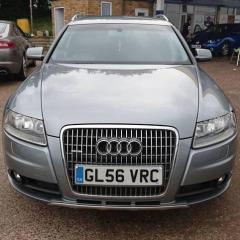
 

Updated Maps DVD

Featured Replies

Can someone tell me how I can get my hands on an up to date maps DVD for my A6?  2006 reg.


Thanks in advance

8 minutes ago, niedzial1983 said:

You need to update mmi soft in order to run new maps 

More info here http://mr-fix.info/mmi-2g-software-update-version-5570/

gsm6575 if you have not updated yet i have the mmi disks to version 5570 i have updated mine no issues happy to post them to you if you need them no use to me now 

  • Author

Thanks for the replies guys.

Im not sure which version i have, i think its MMI 2G?

Also it looks like i have SW version 5570 already.

I've attached a pic of my settings, can someone confirm which i ha12.thumb.jpg.b29625a84ba96b86fb3a68e84d050749.jpgve please?

31 minutes ago, gsm6575 said:

Thanks for the replies guys.

Im not sure which version i have, i think its MMI 2G?

Also it looks like i have SW version 5570 already.

I've attached a pic of my settings, can someone confirm which i ha12.thumb.jpg.b29625a84ba96b86fb3a68e84d050749.jpgve please?

yep u do so go ahead and buy the dvd maps, link i showed has a buy now link i ordered the 2017 update and got it for £10 best offer try your luck m8


http://www.ebay.co.uk/itm/Audi-2017-MMI-2G-High-Navigation-Maps-UK-Europe-Sat-Nav-Disc-DVD-A4-A5-A6-A8-Q7/282558195952?ssPageName=STRK%3AMEBIDX%3AIT&_trksid=p2060353.m2749.l2649

  • 2 weeks later...
  • Author

Thanks Paul, got it for £11 and all working..

6 minutes ago, gsm6575 said:

Thanks Paul, got it for £11 and all working..

nice one m8 bargain price too

Mushy if your looking to update ur maps read this post it will help 

  • 7 months later...

I cant figure my version out.  I have tried comparing it to others but I seem to have more numbers.

I also purchased the 2017 dvd maps, will they work on mine or do I need to do an MMI update?

IMG_20180313_091350.jpg

  • 2 weeks later...

ok so I went ahead and purchased the 2017 maps on ebay, and they installed and worked without any issues.  Not sure, still what version MMI I have but I now have all the disks needed to go up to the latest verison

i have red boxed ur current SW version and posted my current update SW so you will see it has changed once you update

ff.jpg

20171112_093227.jpg

Thanks, now I understand it all better.  My new 2017 sat nav disk from ebay seemed to work 100% even with my old 2004 version of software :-)  Im still doing the update, tomorrow.


I assume if I place a trickle charger on the batter while I do it, all will be ok?

i done mine with the car running it does not take that long m8 be sure to eject all discs before starting pop in disk one and follow instructions on screen

ah ok Ill have a go now


Need to do the 1110 first and its 200me

Create an account or sign in to comment


Background Picker
Customize Layout

Account

Navigation

Search

Search

Configure browser push notifications

Chrome (Android)
  1. Tap the lock icon next to the address bar.
  2. Tap Permissions → Notifications.
  3. Adjust your preference.
Chrome (Desktop)
  1. Click the padlock icon in the address bar.
  2. Select Site settings.
  3. Find Notifications and adjust your preference.