


Leaderboard
-

AOC Admin
Administrators1Points3,807Posts -
cliffcoggin
Moderators1Points4,641Posts -
JMKC82
Established Member1Points135Posts -
Stevew243
Members1Points4Posts


Popular Content
Showing content with the highest reputation on 09/11/2023 in all areas
-
1 pointWell had the car in my local garage today, yes we were right it was the near side rear wheel bearing, few bob later and it’s all sorted. thanks folks.1 point
-
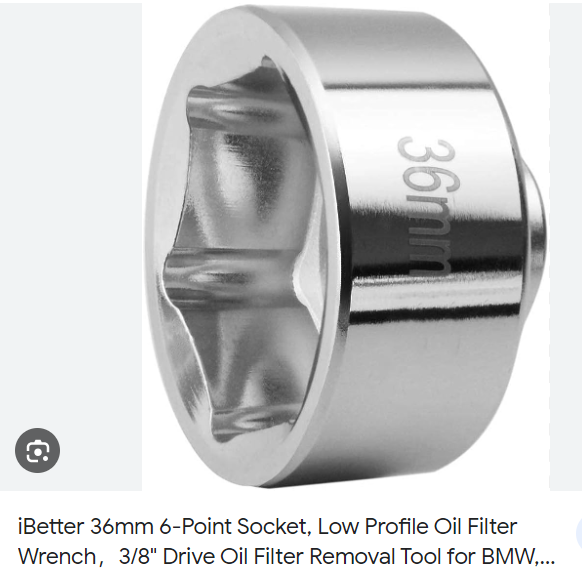
1 pointHi, Is that picture with the reservoir moved over? That looks like enough space. I'm wondering if you are using the oil filter tool? Example Thanks, Joe
 1 point
 -
Given that you admit to being "not mechanically minded" I suggest you get a specialist to do it for you. Tinkering with a car's suspension without knowing what you are doing is not going to end well.1 point
-
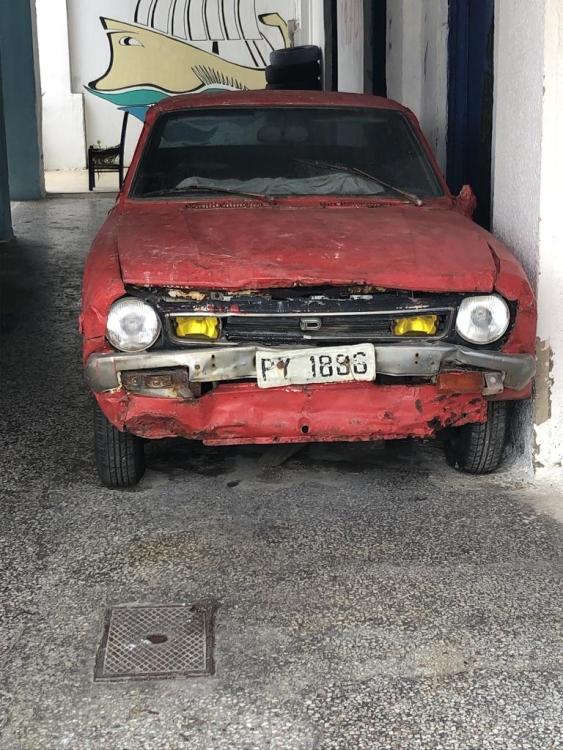
1 pointI know its not an Audi but this 'beauty' has been in Argostoli, Kefalonia for many years and this year it has actually moved.....whether anyone is going to restore it or whether it drives on a daily basis I don't know but I do love the effort they have put into the bodywork repairs 🙂
 1 point
 -
0 points


