




Skip to content
View in the app

A better way to browse. Learn more.

Audi Owners Club (UK)

A full-screen app on your home screen with push notifications, badges and more.

To install this app on iOS and iPadOS
  1. Tap the Share icon in Safari
  2. Scroll the menu and tap Add to Home Screen.
  3. Tap Add in the top-right corner.
To install this app on Android
  1. Tap the 3-dot menu (⋮) in the top-right corner of the browser.
  2. Tap Add to Home screen or Install app.
  3. Confirm by tapping Install.

Welcome to the Audi Owners' Club - An Independent community!

Membership is completely free, and our community is built by enthusiasts, for enthusiasts. We’re a proudly independentnon-official club, so all the help and opinions you’ll find here come directly from members with real experience of Audi ownership.

Join the club now!
 

CVT TCU Repair

Featured Replies

Hi everyone,

I feel a little silly starting my first thread with a question, but let me cut it short.

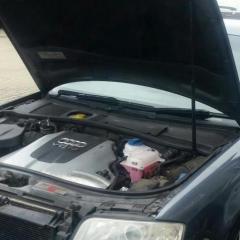
Little over 3 weeks ago I've become an owner of an A6 Avant, 2.5TDi (BDG) engine. Car is a bit of fixer upper but I love the challenge. Couple of days ago I noticed that the gearbox went into safe mode (PRNDS flashing on the dash, my VAGCOM wannabe cable could read all errors but the gearbox), however it went back to normal the next time I sat in the car. It has done it again, now it is noticeably slow when moving off, it seems fine after a minute of driving. Someone suggested to change the CVT fluid/filters, so I headed to a trusted garage and was told that the tranny control module needs a repair (their computer read a speed sensor error, and something to do with load as well but im not too sure) before I change the oil (pointless to change oil when it would be drained when the module comes out). I've heard stories of the CVT units having issues with connectors. Now the question is - is it at all possible to repair this unit DIY style?


Any help would be really appreciated.

Kamil

Welcome to the forum Kamil, you'll find the members on here are a friendly and helpful bunch 🙂

Good choice.of audi by the way, even if I am a bit biased! 😉

i don't believe you can do a diy repair and my advice nwiukd be to change the module and do the oil change. 

cheers

Steve

  • Author

Aahhh... I was hoping it would be easy ish, like rewiring the dreaded flooded Passat CCM. 

Audi was definitely a good choice, I was driving an '02 Passat B5.5, and before I even sat in the A6 I thought it would be similar, its the same big company after all. Boy I was wrong about that.

  • 1 month later...
  • Author

I know its a bit of revival of the thread but I just cant put my finger on the symptoms of the problem.

When i bought the A6, box was fine, some time later it went into safe mode. Over the past week its in and out of the safe mode and whats funny is that it 'fixes' itself whenever im forced to slamethe brakes while driving. All of a sudden it shows the gears on dash. Now once its out of safe mode - id put it in reverse, the car would only move an inch or two while revving the engine up, R wouldnt light up on the dash. Now if i put it back in drive or sports - its all fine to go. But when it goes from R to park - safe mode again. Whats even more funny is that just 15 minutes ago once again it went out of safe mode, ive parked up in front my workplace, ive put it in reverse and to my surprise - R lit up, so did the white reverse light which i havent seen in safe mode at all (it does reverse without problems in safe mode). After 10 minutes of happily driving away ive parked up again, put the tranny in reverse - R doesnt light up and it just went back to safe mode as soon as i put it in Park. The weird thing is that for months it was just safe mode and now the past few weeks it just cant decide, suddenly it drifts in and out at least twice a day.

Anyone had this kind of show with their CVT box?

Hopefully tomorrow ill get the error codes out with a garage as my VAGCOM cable throws out 'too many comms errors' error.

Create an account or sign in to comment


Background Picker
Customize Layout

Account

Navigation

Search

Search

Configure browser push notifications

Chrome (Android)
  1. Tap the lock icon next to the address bar.
  2. Tap Permissions → Notifications.
  3. Adjust your preference.
Chrome (Desktop)
  1. Click the padlock icon in the address bar.
  2. Select Site settings.
  3. Find Notifications and adjust your preference.