




Skip to content
View in the app

A better way to browse. Learn more.

Audi Owners Club (UK)

A full-screen app on your home screen with push notifications, badges and more.

To install this app on iOS and iPadOS
  1. Tap the Share icon in Safari
  2. Scroll the menu and tap Add to Home Screen.
  3. Tap Add in the top-right corner.
To install this app on Android
  1. Tap the 3-dot menu (⋮) in the top-right corner of the browser.
  2. Tap Add to Home screen or Install app.
  3. Confirm by tapping Install.

Welcome to the Audi Owners' Club - An Independent community!

Membership is completely free, and our community is built by enthusiasts, for enthusiasts. We’re a proudly independentnon-official club, so all the help and opinions you’ll find here come directly from members with real experience of Audi ownership.

Join the club now!
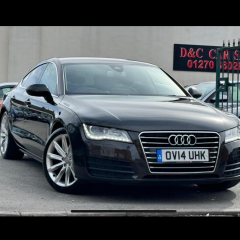
 

Sat Nav message “check DVD” issue

Featured Replies

Good afternoon all,


I recently valeted my car and stupidly left the radio on for the 90 mins it took me which in turn ran down my battery. I jump started it and took it out for a good blast and all is fine on that front but for whatever reason the sat nav will not load? I’ve taken the updated disc I’d put in some 9 months ago and it simply brings up a message of check sat nav dvd on the MMI screen. Does anyone have any ideas how to remedy this? I’ve already turned it all off, taken the disc out and reinserted it. I’ve also done a quick reset of the MMI.

any suggestions as always greatly appreciated 


  • Author

So in the short time since I posted this I’ve just been out in the car ....and my sat nav is back on? Great result but non the wiser !

On 7/17/2020 at 5:09 PM, Christian said:

So in the short time since I posted this I’ve just been out in the car ....and my sat nav is back on? Great result but non the wiser !

Glad it's resolved. 

Sometimes the technology does have a tantrum occasionally. 

  • Author

Thankfully in this instance Steve, I guess the power cut from the battery draining was the main contributing factor.

Create an account or sign in to comment


Background Picker
Customize Layout

Account

Navigation

Search

Search

Configure browser push notifications

Chrome (Android)
  1. Tap the lock icon next to the address bar.
  2. Tap Permissions → Notifications.
  3. Adjust your preference.
Chrome (Desktop)
  1. Click the padlock icon in the address bar.
  2. Select Site settings.
  3. Find Notifications and adjust your preference.