




Skip to content
View in the app

A better way to browse. Learn more.

Audi Owners Club (UK)

A full-screen app on your home screen with push notifications, badges and more.

To install this app on iOS and iPadOS
  1. Tap the Share icon in Safari
  2. Scroll the menu and tap Add to Home Screen.
  3. Tap Add in the top-right corner.
To install this app on Android
  1. Tap the 3-dot menu (⋮) in the top-right corner of the browser.
  2. Tap Add to Home screen or Install app.
  3. Confirm by tapping Install.


Welcome to the Audi Owners' Club - An Independent community!

Membership is completely free, and our community is built by enthusiasts, for enthusiasts. We’re a proudly independentnon-official club, so all the help and opinions you’ll find here come directly from members with real experience of Audi ownership.

Join the club now!
 

Help with sticky throttle

Featured Replies

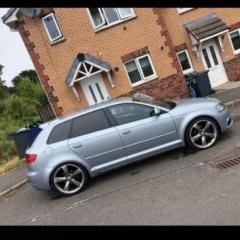
My audi a3 8p 2.0tdi quattro just developed a scraping noise from inside the cab but it's like the pedal n throttle aren't in synced. Any ideas ppl PLEASE 

Hello John,

I’m not sure here whether you have 3 not connected, issues, or 3 separate issues. 

So difficult to advise without more in-depth meaningful detail, but:- 

Scraping noise - have you checked that any part of the undertrays etc has not become dislodged? 

Sticking throttle? - don’t know 

Throttle and acceleration out of sync. - again difficult, but worth Googling resetting the throttle position sensor. Not sure on your particular model, but it would be something like switching on ignition and pressing the accelerator pedal to the floor, and return 5 times within a specified time ( say 20 seconds). After the 5 x presses, wait for something like 20 sec. and fully press and return again, and switch off ignition. The above is from memory, so please Google and follow the procedure. 

Kind regards,

Gareth. 

Create an account or sign in to comment


Background Picker
Customize Layout

Account

Navigation

Search

Search

Configure browser push notifications

Chrome (Android)
  1. Tap the lock icon next to the address bar.
  2. Tap Permissions → Notifications.
  3. Adjust your preference.
Chrome (Desktop)
  1. Click the padlock icon in the address bar.
  2. Select Site settings.
  3. Find Notifications and adjust your preference.