




Skip to content
View in the app

A better way to browse. Learn more.

Audi Owners Club (UK)

A full-screen app on your home screen with push notifications, badges and more.

To install this app on iOS and iPadOS
  1. Tap the Share icon in Safari
  2. Scroll the menu and tap Add to Home Screen.
  3. Tap Add in the top-right corner.
To install this app on Android
  1. Tap the 3-dot menu (⋮) in the top-right corner of the browser.
  2. Tap Add to Home screen or Install app.
  3. Confirm by tapping Install.

Welcome to the Audi Owners' Club - An Independent community!

Membership is completely free, and our community is built by enthusiasts, for enthusiasts. We’re a proudly independentnon-official club, so all the help and opinions you’ll find here come directly from members with real experience of Audi ownership.

Join the club now!
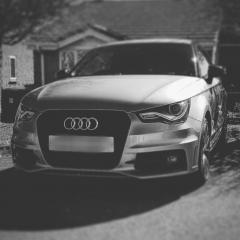
 

Door courtesy lights. (Puddle lights)

Featured Replies

Hi, I'm wondering if anyone can help me! I've just bought an A1 (2014 model) and it's has the light package. Now I'm particularly talking about the lights under the door cards that light up on a night. I ordered off eBay some new ones that say S-line. I fitted these today and only the passenger one works. I have checked all fuses etc. All seems ok. At first it worked a little now not at all. Is this a problem with my Audi or the lights I purchased? I'm not much of a car guy especially when it comes to electric components. Any help would be greatly appreciated 😃 I should also add that the previous original ones worked! But since the new ones the drivers original one doesn't even work anymore.

  • Author

Hi Steve, thanks for your prompt reply! Unfortunately I did refit the original ones. Still no luck with the drivers door 😕 So my guess would be that it's a wiring issue with my car. Any ideas on what to do next? 

Many thanks!

8 hours ago, Teecee said:

Hi Steve, thanks for your prompt reply! Unfortunately I did refit the original ones. Still no luck with the drivers door 😕 So my guess would be that it's a wiring issue with my car. Any ideas on what to do next? 

Many thanks!

You're welcome, you might be lucky and just dislodged the wiring. I believe the wiring runs inside the door, so you'll need to take the door card off to inspect the wiring condition. 

  • Author

Right brilliant. I'll have a look later today providing the weather holds off. Thank for your help Steve. Don't hesitate to get in touch if there's anything I can help with!

19 minutes ago, Teecee said:

Right brilliant. I'll have a look later today providing the weather holds off. Thank for your help Steve. Don't hesitate to get in touch if there's anything I can help with!

No probs at all ☺️ and thank you ☺️

Create an account or sign in to comment


Background Picker
Customize Layout

Account

Navigation

Search

Search

Configure browser push notifications

Chrome (Android)
  1. Tap the lock icon next to the address bar.
  2. Tap Permissions → Notifications.
  3. Adjust your preference.
Chrome (Desktop)
  1. Click the padlock icon in the address bar.
  2. Select Site settings.
  3. Find Notifications and adjust your preference.