




Skip to content
View in the app

A better way to browse. Learn more.

Audi Owners Club (UK)

A full-screen app on your home screen with push notifications, badges and more.

To install this app on iOS and iPadOS
  1. Tap the Share icon in Safari
  2. Scroll the menu and tap Add to Home Screen.
  3. Tap Add in the top-right corner.
To install this app on Android
  1. Tap the 3-dot menu (⋮) in the top-right corner of the browser.
  2. Tap Add to Home screen or Install app.
  3. Confirm by tapping Install.

Welcome to the Audi Owners' Club - An Independent community!

Membership is completely free, and our community is built by enthusiasts, for enthusiasts. We’re a proudly independentnon-official club, so all the help and opinions you’ll find here come directly from members with real experience of Audi ownership.

Join the club now!
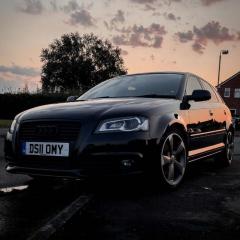
 

ABS/ESP, Stop/Start & Headlight range control Faults

Featured Replies

Hello, friday morning I has these errors all come on at the same time whilst starting up. I just wanted to check if they're all likely to be related to each other/a fault with the ABS sensor? 

Ive seen a few posts about the ABS and stop start being related but i dont see how the headlight range control could be? 

It looks like a pretty cheap/easy part to replace if thats what is causing the issues. Or is there anything else i should check first?  


Many thanks in advance 


Hello Paul,

I think you will find that such issues could be linked to an inefficient battery, so my first port of call would be to eliminate or confirm that possibility. 
I would take the car for a 15 to 20 mile run, then get the battery efficiency check - Halfords can do this. 
Buying a necessary replacement from Halfords- ? 
Perhaps you could let us know how you get on. 
Kind regards,

Gareth. 

  • Author

I’d hope not it’s only a year old and supplied by my local Audi specialist. But thanks Ill do that first thing in the morning 

Thanks Paul,

Even if it does turn out to be sub-standard, then it should be under warranty. If it’s serviceable then obviously you have at least eliminated it. What make is the battery by the way? 
Worth getting Halfords to do an alternator test at the same time.

Kind regards, 

Gareth. 

  • Author

Mr Halfords says my batteries at 99% health

its a Bosch 

IMG_5356.dng

Can’t/ don’t want to download your link. 
Alternator output checked? 
I wouldn’t have thought an ABS fault would knock off the Stop/start, but I guess stranger bits of Audi logic have occurred. 
Your car is probably too old to have the additional ‘small battery’ as well as the main battery -? 
Kind regards,

Gareth. 

When a series of apparently unrelated electrical faults appear simultaneously my first suspect is always the battery. It does not matter if the static voltage is fine, it does not matter if the starter can crank the engine over normally, it can still have a fault that interferes with the car's electronics.

Sorry, but too I will not download links from unknown sources. Can you attach the file to a reply?

  • Author

It was just a photo of the battery. Looks like like the terminals have crusted over a bit. Alternator seems to be fine. I’ll get it to my local mechanic in the new few days 

IMG_5356.dng

  • Author

Here’s a list of trouble codes I’d that helps 

03841 - RPM Sensor Rear Left: Incorrect Signal.

00290 - ABS Wheel Speed Sensor Rear Left (G46)

01316 - ABS Control Module

below is directly copied from carista. After googling some of these seem to be displaying incorrectly I believe… 

CAN network gateway:

01304 - Radio

ABS:

00290 - Left rear ABS wheel speed sensor

03841 - Hybrid/high-voltage battery group 2: Performance

Power steering:

01316 - Engine Oil Pressure Too Low

Steering wheel:

01304 - Radio

Telephone:

01304 - Radio

02503 - Output wire to radio

Headlight aiming:

01316 - Engine Oil Pressure Too Low

Heater & air conditionina

01592 - Throttle Actuator control (bank1)

Range/Performance

Hi, I am having the same issues as well on my Audi A6, incorrect fault codes have been coming up. I assume it will be the battery as I am getting mine changed on Wednesday  

Hello Azharul, 

I wouldn’t assume anything. You could find it isn’t the battery after you have unnecessarily spent money. 
I would simply get it tested and depend on the result to inform you it is/isn’t serviceable. 
Kind regards,

Gareth. 

Hello Mganet, 


I got my battery tested yesterday RAC they said it serviceable/rechargeable, the Votage it is currently at is 12.47. They said this is too low. They tested the alternator out as well, reported back saying all is fine with the alternator. 

1 hour ago, Azharul said:

Hi, I am having the same issues as well on my Audi A6, incorrect fault codes have been coming up. I assume it will be the battery as I am getting mine changed on Wednesday  

Please let us know the outcome as Paul seems reluctant to accept any suspicions regarding his battery.

  • Author

Battery voltage is 12.6v with engine off and 14.2 with engine on. No blown fuses either. 
 

It'll be in the garage Thursday so we’ll find out what’s the crack 

  • 2 weeks later...
  • Author

Been in to the garage and all these faults were caused by a faulty ABS sensor at the rear it was given false readings compared to the rest 

  • 10 months later...

Hi,

my Audi A3 has had all of the same faults appear at once when I started my car today. Please could you let me know how you managed to resolve this? Thanks

Edited by Charlotte foth

Welcome Charlotte, and thanks for joining.

Back in Oct. 2023, Paul outlined what the offending part was on his ( in caps)  car.

Could  you please outline the exact issues you are getting with your car.

To save asking again, how old is your battery? 
Kind regards,

Gareth. 


Create an account or sign in to comment


Background Picker
Customize Layout

Account

Navigation

Search

Search

Configure browser push notifications

Chrome (Android)
  1. Tap the lock icon next to the address bar.
  2. Tap Permissions → Notifications.
  3. Adjust your preference.
Chrome (Desktop)
  1. Click the padlock icon in the address bar.
  2. Select Site settings.
  3. Find Notifications and adjust your preference.