




Skip to content
View in the app

A better way to browse. Learn more.

Audi Owners Club (UK)

A full-screen app on your home screen with push notifications, badges and more.

To install this app on iOS and iPadOS
  1. Tap the Share icon in Safari
  2. Scroll the menu and tap Add to Home Screen.
  3. Tap Add in the top-right corner.
To install this app on Android
  1. Tap the 3-dot menu (⋮) in the top-right corner of the browser.
  2. Tap Add to Home screen or Install app.
  3. Confirm by tapping Install.

Welcome to the Audi Owners' Club - An Independent community!

Membership is completely free, and our community is built by enthusiasts, for enthusiasts. We’re a proudly independentnon-official club, so all the help and opinions you’ll find here come directly from members with real experience of Audi ownership.

Join the club now!
 

Wipers indicators radio heater probs

Featured Replies

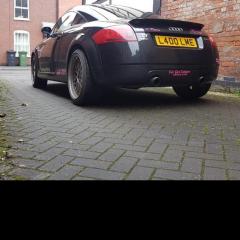
Hi ya. Ive got a mk1 tt 52 plate called stealth yesterday all of the above died on me in heavy rain. Called aa theyve put a bypass in fuse box??? Any ideas. I think some kind of relay? If anyone can help me please. She started and everything else worked. Lynnerz & Stealth

  • 1 month later...
  • Author

I had a ignition switch fitted worked for 3 days. Then same fault. Found out it was a relay.... Solved now. A happy Lynnerz & Stealth xxxxx

  • Author

Thankyou Steve Q. Im glad stealth is sorted. You are all very helpful. X love Lynnerz & Stealth

  • Author

They changed ignition switch all was good for 2 days then happened again intermittent problems. Took her back after i first said a relay and it was. Changed that and now Stealth is perfect again. Stealth in recent snow and made a tt friend ❤️

DSC_0930.JPG

DSC_0903.JPG

9 hours ago, Lynnerz Audi said:

They changed ignition switch all was good for 2 days then happened again intermittent problems. Took her back after i first said a relay and it was. Changed that and now Stealth is perfect again. Stealth in recent snow and made a tt friend ❤️

DSC_0930.JPG

DSC_0903.JPG

Looking good! 🙂

Create an account or sign in to comment


Background Picker
Customize Layout

Account

Navigation

Search

Search

Configure browser push notifications

Chrome (Android)
  1. Tap the lock icon next to the address bar.
  2. Tap Permissions → Notifications.
  3. Adjust your preference.
Chrome (Desktop)
  1. Click the padlock icon in the address bar.
  2. Select Site settings.
  3. Find Notifications and adjust your preference.