




Skip to content
View in the app

A better way to browse. Learn more.

Audi Owners Club (UK)

A full-screen app on your home screen with push notifications, badges and more.

To install this app on iOS and iPadOS
  1. Tap the Share icon in Safari
  2. Scroll the menu and tap Add to Home Screen.
  3. Tap Add in the top-right corner.
To install this app on Android
  1. Tap the 3-dot menu (â‹®) in the top-right corner of the browser.
  2. Tap Add to Home screen or Install app.
  3. Confirm by tapping Install.

Welcome to the Audi Owners' Club - An Independent community!

Membership is completely free, and our community is built by enthusiasts, for enthusiasts. We’re a proudly independent, non-official club, so all the help and opinions you’ll find here come directly from members with real experience of Audi ownership.

Join the club now!
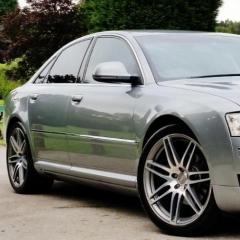
 

Number plate lens

Featured Replies

Hi

does anybody know where I can buy replacement number plate lenses for a a8? 

My ones are cracked. I have 2 both having 2 screws in each.

i have looked on eBay but they all have one screw fixing 

many thanks

Hi Mark, I find it odd that both have cracked. I assume your car has never had an accident? 

I wonder if this is due to heat from the bulbs? Might be worth seeing if they a8 had any recalls regarding the number plate lights. Hence why you can only find ones with one screw. These may be updated versions. Hope this all makes sense. 

Cheers

Steve 

  • Author

Cheers Steve.

no accidents I made sure I did HPi when I purchased the car 👍

Will take note and look into that

thank you.

12 minutes ago, Mark Townsend said:

Cheers Steve.

no accidents I made sure I did HPi when I purchased the car 👍

Will take note and look into that

thank you.

Your welcome, I just hope IV helped :) 

I would normally look.on ebay as you've done or look for similar aged cars on eBay that are being broken for spares. In failing that I think Audi might be your last option.

Cheers

Steve 

Create an account or sign in to comment


Background Picker
Customize Layout

Account

Navigation

Search

Search

Configure browser push notifications

Chrome (Android)
  1. Tap the lock icon next to the address bar.
  2. Tap Permissions → Notifications.
  3. Adjust your preference.
Chrome (Desktop)
  1. Click the padlock icon in the address bar.
  2. Select Site settings.
  3. Find Notifications and adjust your preference.