




Skip to content
View in the app

A better way to browse. Learn more.

Audi Owners Club (UK)

A full-screen app on your home screen with push notifications, badges and more.

To install this app on iOS and iPadOS
  1. Tap the Share icon in Safari
  2. Scroll the menu and tap Add to Home Screen.
  3. Tap Add in the top-right corner.
To install this app on Android
  1. Tap the 3-dot menu (⋮) in the top-right corner of the browser.
  2. Tap Add to Home screen or Install app.
  3. Confirm by tapping Install.

Welcome to the Audi Owners' Club - An Independent community!

Membership is completely free, and our community is built by enthusiasts, for enthusiasts. We’re a proudly independentnon-official club, so all the help and opinions you’ll find here come directly from members with real experience of Audi ownership.

Join the club now!
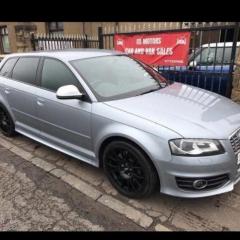
 

Rear passenger door not opening 😪

Featured Replies

Hi has anyone had a problem with rear passanger door it doesn't open off the fob I can hear it workin when put ear next to lock I can open it from inside then it will open and close from outside it just initially when first open car or when the locks go on when start driving any solutions cheers 

I had a similar problem that became gradually worse until remote operation did not work at all on one door, though the other doors and boot lid were fine. It turned out to be a damaged solenoid or wire that had to be renewed.

  • Author

Cheers cliff I need to get door card off for a look it's a pain in !Removed! 

Hi Craig, sorry to hear your having issues. Cliff makes a very good suggestion. When I had an issue with my central locking, it transpired that I needed a new drivers door lock. In most cases the drivers door lock controls the rest of the central locking system. It cost me £120 to fix by an auto electrician. 

Hope I've helped :)

Cheers

Steve

Create an account or sign in to comment


Background Picker
Customize Layout

Account

Navigation

Search

Search

Configure browser push notifications

Chrome (Android)
  1. Tap the lock icon next to the address bar.
  2. Tap Permissions → Notifications.
  3. Adjust your preference.
Chrome (Desktop)
  1. Click the padlock icon in the address bar.
  2. Select Site settings.
  3. Find Notifications and adjust your preference.