




Skip to content
View in the app

A better way to browse. Learn more.

Audi Owners Club (UK)

A full-screen app on your home screen with push notifications, badges and more.

To install this app on iOS and iPadOS
  1. Tap the Share icon in Safari
  2. Scroll the menu and tap Add to Home Screen.
  3. Tap Add in the top-right corner.
To install this app on Android
  1. Tap the 3-dot menu (⋮) in the top-right corner of the browser.
  2. Tap Add to Home screen or Install app.
  3. Confirm by tapping Install.

Welcome to the Audi Owners' Club - An Independent community!

Membership is completely free, and our community is built by enthusiasts, for enthusiasts. We’re a proudly independentnon-official club, so all the help and opinions you’ll find here come directly from members with real experience of Audi ownership.

Join the club now!
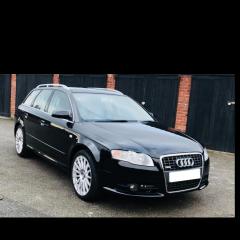
 

Clock spring swap for mfsw a4 b7

Featured Replies

I swapped my steering wheel over from a 4 spoke without mf controls to a nice 3 spoke mfsw with paddles.

I changed the clock spring because it was the one with only 6 connectors to the 12 pin connector.

the module for cruise and mfsw is already installed.

long story short. Steering wheel is working, cruise is working, controls function properly and illuminate no coding needed for the controls. The paddles illuminate but do not work at the moment obviously some coding will be needed.

The problem is that after this install I have the air bag light and tc light illuminated usually these clear after short drive but the are not clearing, had my mate check with his good machine and got 

P1854 code

Any ideas what I’ve done wrong here I don’t like the lights any input would be appreciated.

cheers John 


Hi John, I think you're right and coding should fix the issue. However I heard a rumour nthat not all steering bwheels were interchangeable and you should ideally get one from near to the same year as yours. I could be wrong but I'm sure it's something I read on Facebook so it definitely could be hit or miss. 

Cheers

Steve

Create an account or sign in to comment


Background Picker
Customize Layout

Account

Navigation

Search

Search

Configure browser push notifications

Chrome (Android)
  1. Tap the lock icon next to the address bar.
  2. Tap Permissions → Notifications.
  3. Adjust your preference.
Chrome (Desktop)
  1. Click the padlock icon in the address bar.
  2. Select Site settings.
  3. Find Notifications and adjust your preference.