




Skip to content
View in the app

A better way to browse. Learn more.

Audi Owners Club (UK)

A full-screen app on your home screen with push notifications, badges and more.

To install this app on iOS and iPadOS
  1. Tap the Share icon in Safari
  2. Scroll the menu and tap Add to Home Screen.
  3. Tap Add in the top-right corner.
To install this app on Android
  1. Tap the 3-dot menu (⋮) in the top-right corner of the browser.
  2. Tap Add to Home screen or Install app.
  3. Confirm by tapping Install.

Welcome to the Audi Owners' Club - An Independent community!

Membership is completely free, and our community is built by enthusiasts, for enthusiasts. We’re a proudly independentnon-official club, so all the help and opinions you’ll find here come directly from members with real experience of Audi ownership.

Join the club now!
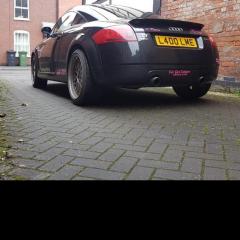
 

Wipers indicators radio heater probs

Featured Replies

Can someone please help me. My tt is a mk1 225 51 plate i keep having problems no heater, no radio, no wipers, all else works. 

Hi Lynne, assuming you've checked the fuses and had the battery checked my advice would be to either get a diagnostic check carried out or get an auto electrician have a look. 

  • Author
12 hours ago, Lynnerz Audi said:

Hi ya

Shes been looked at by an electrics specialist garage and on machine. Its intermittent. All else works on her. But i cant drive her because it was raining and no wipers very annoying. Fuses all ok. They say could be an earth or a relay/switch for ignition 🤔👿😷

Hello Lynne, 

Sorry to hear of your problems. My stab at it - based on it being unlikely to be individual fuses since there are a number of circuits affected - would obviously be to consider one 'control' which is common to all the affected circuits. 

I might be completely wrong, particularly due to the age of the car, but I would ask, are the electrics controlled by a 'body control unit'? i.e. a BCU (similar concept to ECU with 'engine control unit').

Perhaps the car is too old for that - I don't know- but no doubt someone else on here will be far more familiar with this than I am. 

Kind regards,

Gareth. 

Create an account or sign in to comment


Background Picker
Customize Layout

Account

Navigation

Search

Search

Configure browser push notifications

Chrome (Android)
  1. Tap the lock icon next to the address bar.
  2. Tap Permissions → Notifications.
  3. Adjust your preference.
Chrome (Desktop)
  1. Click the padlock icon in the address bar.
  2. Select Site settings.
  3. Find Notifications and adjust your preference.