




Skip to content
View in the app

A better way to browse. Learn more.

Audi Owners Club (UK)

A full-screen app on your home screen with push notifications, badges and more.

To install this app on iOS and iPadOS
  1. Tap the Share icon in Safari
  2. Scroll the menu and tap Add to Home Screen.
  3. Tap Add in the top-right corner.
To install this app on Android
  1. Tap the 3-dot menu (⋮) in the top-right corner of the browser.
  2. Tap Add to Home screen or Install app.
  3. Confirm by tapping Install.

Welcome to the Audi Owners' Club - An Independent community!

Membership is completely free, and our community is built by enthusiasts, for enthusiasts. We’re a proudly independentnon-official club, so all the help and opinions you’ll find here come directly from members with real experience of Audi ownership.

Join the club now!
 

Satnav SD card...

Featured Replies

Hi,

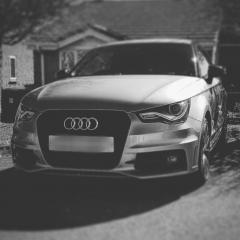
I bought my A1 in April. The dealership told me that if I wanted satnav I needed an SD card. I have seen these cards on eBay anywhere from £40-£100. Should I be able to just plug it in then thats it or will I have to get it activated. (Please note my car has the nav button and 2 SD card slots.) Also is it any Audi SD card or does it have to be specifically for this model.

Thanks 👍

My understanding is that it has to be plugged into a computer direct to Audi Germany to get the sat nav activated. By all means by an SD card but I don't believe it will work. On your mmi screen I'm guessing satnav is greyed out. If it was available it wouldn't be greyed out even if an SD card wasn't fitted but should be if that makes sense. 

  • 4 months later...

Hi

Just joined this forum today so you might have this sorted by now but if you haven't then you'll need the sat-nav activating as well as a SD card.

I've found someone in Durham who does this for £200 inc 2021 maps - https://northeastvagadaptions.co.uk/products/audi-a1-q3-navigation-activation-navigation-data-2021?__FB_PRIVATE_TRACKING__={"loggedout_browser_id"%3A"d597b7c2cca4ef1101bcf2fa792551df5f5b8ee0"}&fbclid=IwAR3rIvEblt65pTqp5nRBoDWYzepE1wH4UwSVd3WRn5uvhZTPdRt1lCnvBb8 

Way cheapers than the dealers who charge £600 - £800 🙄

  • Author
On 6/8/2021 at 7:06 AM, Steve Q said:

My understanding is that it has to be plugged into a computer direct to Audi Germany to get the sat nav activated. By all means by an SD card but I don't believe it will work. On your mmi screen I'm guessing satnav is greyed out. If it was available it wouldn't be greyed out even if an SD card wasn't fitted but should be if that makes sense. 

Sorry for my extremely late reply... the nav isn't grayed out so should I be able to plug the sd in and it will work? Thanks

2 minutes ago, Teecee said:

Sorry for my extremely late reply... the nav isn't grayed out so should I be able to plug the sd in and it will work? Thanks

No you'll still need to get it activated.

Get in touch with the guy in the link i posted or ask on his facebook page as he seems to know what he's doing

£200 all in for activation and the latest maps on a SD card is cheap

  • 2 years later...
On 10/26/2021 at 6:02 PM, Robby71 said:

Hi

Just joined this forum today so you might have this sorted by now but if you haven't then you'll need the sat-nav activating as well as a SD card.

I've found someone in Durham who does this for £200 inc 2021 maps - https://northeastvagadaptions.co.uk/products/audi-a1-q3-navigation-activation-navigation-data-2021?__FB_PRIVATE_TRACKING__={"loggedout_browser_id"%3A"d597b7c2cca4ef1101bcf2fa792551df5f5b8ee0"}&fbclid=IwAR3rIvEblt65pTqp5nRBoDWYzepE1wH4UwSVd3WRn5uvhZTPdRt1lCnvBb8 

Way cheapers than the dealers who charge £600 - £800 🙄

Hi sorry this is late but what is his name of Facebook? 

  • 2 weeks later...
On 10/26/2021 at 6:02 PM, Robby71 said:

Hi

Just joined this forum today so you might have this sorted by now but if you haven't then you'll need the sat-nav activating as well as a SD card.

I've found someone in Durham who does this for £200 inc 2021 maps - https://northeastvagadaptions.co.uk/products/audi-a1-q3-navigation-activation-navigation-data-2021?__FB_PRIVATE_TRACKING__={"loggedout_browser_id"%3A"d597b7c2cca4ef1101bcf2fa792551df5f5b8ee0"}&fbclid=IwAR3rIvEblt65pTqp5nRBoDWYzepE1wH4UwSVd3WRn5uvhZTPdRt1lCnvBb8 

Way cheapers than the dealers who charge £600 - £800 🙄

are you sure its 2021 maps? as mine was done before i got it and think is older then that as says i have the lastest ones

Create an account or sign in to comment


Background Picker
Customize Layout

Account

Navigation

Search

Search

Configure browser push notifications

Chrome (Android)
  1. Tap the lock icon next to the address bar.
  2. Tap Permissions → Notifications.
  3. Adjust your preference.
Chrome (Desktop)
  1. Click the padlock icon in the address bar.
  2. Select Site settings.
  3. Find Notifications and adjust your preference.