




Skip to content
View in the app

A better way to browse. Learn more.

Audi Owners Club (UK)

A full-screen app on your home screen with push notifications, badges and more.

To install this app on iOS and iPadOS
  1. Tap the Share icon in Safari
  2. Scroll the menu and tap Add to Home Screen.
  3. Tap Add in the top-right corner.
To install this app on Android
  1. Tap the 3-dot menu (⋮) in the top-right corner of the browser.
  2. Tap Add to Home screen or Install app.
  3. Confirm by tapping Install.

Welcome to the Audi Owners' Club - An Independent community!

Membership is completely free, and our community is built by enthusiasts, for enthusiasts. We’re a proudly independentnon-official club, so all the help and opinions you’ll find here come directly from members with real experience of Audi ownership.

Join the club now!
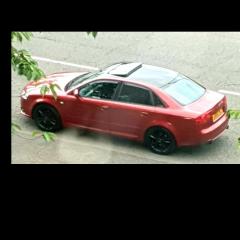
 

bladt from the past did anyone have a favorite car apart from an audi heres my old vectra gsi still a great looking car today share yours

Featured Replies

Screenshot_20191217-061808_Gumtree.jpg

Screenshot_20191217-061814_Gumtree.jpg

Screenshot_20191217-061755_Gumtree.jpg

I kind of miss this


IMG_1784.jpeg

  • Author

😁😁

20201022_122525.thumb.jpg.5a8d37be471e8d528aaed78d2e4c0c9d.jpg

4.2 v8 of English muscle  love driving her 

Got to love the V8

For sure but I still love my a5 it's such a beautiful looking car I think she will also be a classic genuinely I love driving my a5 more than any other car I've owned and I've had a lot lol from celica gt4 to 911 convertible to xkr  e type jag more British classics than I can count, mercs bmws  rs turbs cosworths the list goes on. I've owned nearly four hundred performance and executive cars but although my a5 is nowhere near the fastest car I've owned I love the handling the styling the design of the car and I  can honestly say I'm now an audi convert

On 9/8/2021 at 8:08 AM, Steve Q said:

Very nice, and it'll be a collectors piece for sure. 


Create an account or sign in to comment


Background Picker
Customize Layout

Account

Navigation

Search

Search

Configure browser push notifications

Chrome (Android)
  1. Tap the lock icon next to the address bar.
  2. Tap Permissions → Notifications.
  3. Adjust your preference.
Chrome (Desktop)
  1. Click the padlock icon in the address bar.
  2. Select Site settings.
  3. Find Notifications and adjust your preference.