




Skip to content
View in the app

A better way to browse. Learn more.

Audi Owners Club (UK)

A full-screen app on your home screen with push notifications, badges and more.

To install this app on iOS and iPadOS
  1. Tap the Share icon in Safari
  2. Scroll the menu and tap Add to Home Screen.
  3. Tap Add in the top-right corner.
To install this app on Android
  1. Tap the 3-dot menu (⋮) in the top-right corner of the browser.
  2. Tap Add to Home screen or Install app.
  3. Confirm by tapping Install.


Welcome to the Audi Owners' Club - An Independent community!

Membership is completely free, and our community is built by enthusiasts, for enthusiasts. We’re a proudly independentnon-official club, so all the help and opinions you’ll find here come directly from members with real experience of Audi ownership.

Join the club now!
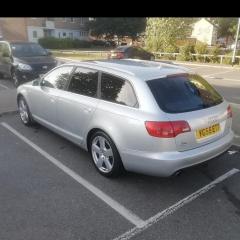
 

Audi A8 4.2 tdi or 4.2 fsi

Featured Replies

Hello

I decide to sell my a6 c6 3.2 fsi quattro estate and looking for a A8

At the moment I'm not sure if I want to spent the budget for a d4 may I go for a late d3.is there any tip what to look for by an 4.2tdi or 4.2fsi I prefer to go for a fsi but they're quite rare on the market.I've read that on early 4.2tdi they have used a lot of plastic guides which get quickly worn and can occur a lot engine issues.May there are also air suspension faults? 

Thanks jean


Regardless of engine service history is key. Either car should have had a Cambelt and water pump change. Also check that the Audi gearbox has been serviced. 

In addition, make sure that the quattro system has been serviced and that the tyre tread is even on tyres on the same axle. As uneven tyre wear can damage the quattro system. 

Air suspension can fail and the compressors or bags aren't cheap. Also make sure all electrical items work as most components such as AC compressors etc can be expensive to replace. 

I'd also recommend looking at buyers guides on YouTube 

Create an account or sign in to comment


Background Picker
Customize Layout

Account

Navigation

Search

Search

Configure browser push notifications

Chrome (Android)
  1. Tap the lock icon next to the address bar.
  2. Tap Permissions → Notifications.
  3. Adjust your preference.
Chrome (Desktop)
  1. Click the padlock icon in the address bar.
  2. Select Site settings.
  3. Find Notifications and adjust your preference.