




Skip to content
View in the app

A better way to browse. Learn more.

Audi Owners Club (UK)

A full-screen app on your home screen with push notifications, badges and more.

To install this app on iOS and iPadOS
  1. Tap the Share icon in Safari
  2. Scroll the menu and tap Add to Home Screen.
  3. Tap Add in the top-right corner.
To install this app on Android
  1. Tap the 3-dot menu (⋮) in the top-right corner of the browser.
  2. Tap Add to Home screen or Install app.
  3. Confirm by tapping Install.


Welcome to the Audi Owners' Club - An Independent community!

Membership is completely free, and our community is built by enthusiasts, for enthusiasts. We’re a proudly independentnon-official club, so all the help and opinions you’ll find here come directly from members with real experience of Audi ownership.

Join the club now!
 

newbie

Featured Replies

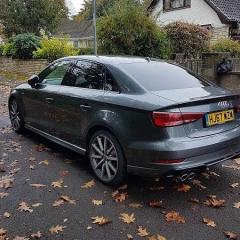
Hi all, I'm from Poole I'm new here, bought brand new  A3 Saloon 1.5TFSI Cod 150 Black edition S tronic, with heated folding mirrors, advance key, in pearl effect Daytona grey had it two weeks and loving it, have few questions about it which I will post in the right place but just wanted to say hi :)


Hi Rach.

 Welcome, though I'm also new here. You have an extremely nice car. I also have a new shape A3 but couldn't wait to get a black edition so it's just the s-line for meh. Those black editions are so sexy. Previous car was one and looking at them now I wish I had more patience. The Daytona grey in black edition looks the best too, you have great taste.


regards Ad

  • Author

thanks Adbro, I'm over the moon with the car, still learning all the bits and bobs of it, I pull up at home and sit and play with controls for another 20 minutes finding out more things, many thanks for you nice words and yes the black edition certainly finishes the car off nice

audi 5 2.jpg

Welcome to the forums:yahoo:

Nice friendly atmosphere here with plenty of Audi owners to help where they can 

Paul

Welcome to the forum Rachel :) 

You'll find the members on here are a friendly and helpful bunch so ask away with any questions :) 

Great colour of a3 you have there! :) 

Cheers

Steve 

Create an account or sign in to comment


Background Picker
Customize Layout

Account

Navigation

Search

Search

Configure browser push notifications

Chrome (Android)
  1. Tap the lock icon next to the address bar.
  2. Tap Permissions → Notifications.
  3. Adjust your preference.
Chrome (Desktop)
  1. Click the padlock icon in the address bar.
  2. Select Site settings.
  3. Find Notifications and adjust your preference.