




Skip to content
View in the app

A better way to browse. Learn more.

Audi Owners Club (UK)

A full-screen app on your home screen with push notifications, badges and more.

To install this app on iOS and iPadOS
  1. Tap the Share icon in Safari
  2. Scroll the menu and tap Add to Home Screen.
  3. Tap Add in the top-right corner.
To install this app on Android
  1. Tap the 3-dot menu (⋮) in the top-right corner of the browser.
  2. Tap Add to Home screen or Install app.
  3. Confirm by tapping Install.


Welcome to the Audi Owners' Club - An Independent community!

Membership is completely free, and our community is built by enthusiasts, for enthusiasts. We’re a proudly independentnon-official club, so all the help and opinions you’ll find here come directly from members with real experience of Audi ownership.

Join the club now!
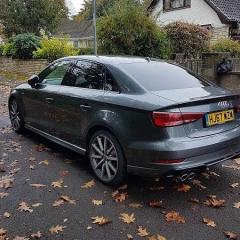
 

Interior lights when stop engine

Featured Replies

hi, ive searched everywhere and cannot find an answer, hoping someone on here can help, basically when I stop the engine, I have keyless, the interior lights do not come on, they only come on once I open the door, this is really annoying as I want to gather up bag and belongings etc, every car ive had in the past has had this, ive now got a brand new Audi and it doesn't happen, I'm ruining my door when its raining as going all on the inside of the door, only thing I do at the moment is manually turn light off and then I hope that I remember to turn it back off, but the annoying thing is the headlights stay lit for about 20 seconds after locking car which is pointless, so if anyone has any ideas for settings how to get this to work I would appreciate it, but I have a feeling Audi cars must just not do this

Hi Rachel, I believe the a3 doesn't have the feature unfortunately. I don't recall my dad's a3 8v interior lights coming on after the engine was turned off. If it were there then you would probably find it in the cars computer under vehicle settings or something similar. 

With regard to the headlights staying on, I believe most modern cars do this as a courtesy thing to help you see by lighting up your path or front door etc. 

Sorry I can't help more. 

Cheers

Steve

  • Author

thanks Steve, I find it strange a top car maker like Audi don't have this function yet cars of £8k do, ive looked in settings but nothing there, I thought perhaps I was missing something silly, the headlights staying on are a waste in my opinion but then I know people that love it

1 hour ago, rach said:

thanks Steve, I find it strange a top car maker like Audi don't have this function yet cars of £8k do, ive looked in settings but nothing there, I thought perhaps I was missing something silly, the headlights staying on are a waste in my opinion but then I know people that love it

I know what you mean! But you'll also find base model a3's don't have heated wong mirrors! 

With regards to the exterior lights staying on that is a feature of the exterior light pack. As Steve said it is to help out when it's dark. I had this feature on my first A3. Not sure if it's a standard item on your motor though. My current A3 doesn't have it. 

 On your keyless issue. As the interior lights come on when you take the key out of the lock I'm wondering if your able to manually turn the keyless link off on your fob. 

  • Author

so if someone has a key the interior lights work? is that what you are saying, I thought upgrading to keyless should surely have this benefit as well, looks like I'm stuck with having to open the door then :(

On my 2006 a6 when i stop the engine and take the key off the ignition will automaticly turn the iterior lights on , dont have to open doors . But mine is not keyless . 

On 04/11/2017 at 12:29 PM, rach said:

hi, ive searched everywhere and cannot find an answer, hoping someone on here can help, basically when I stop the engine, I have keyless, the interior lights do not come on, they only come on once I open the door, this is really annoying as I want to gather up bag and belongings etc, every car ive had in the past has had this, ive now got a brand new Audi and it doesn't happen, I'm ruining my door when its raining as going all on the inside of the door, only thing I do at the moment is manually turn light off and then I hope that I remember to turn it back off, but the annoying thing is the headlights stay lit for about 20 seconds after locking car which is pointless, so if anyone has any ideas for settings how to get this to work I would appreciate it, but I have a feeling Audi cars must just not do this

When you switch the engine off using stop/start button thr dome lights should light up 

  • Author
5 minutes ago, niedzial1983 said:

On my 2006 a6 when i stop the engine and take the key off the ignition will automaticly turn the iterior lights on , dont have to open doors . But mine is not keyless . 

When you switch the engine off using stop/start button thr dome lights should light up 

no lights come on inside the car until I open the door

1 minute ago, rach said:

no lights come on inside the car until I open the door

Strange. Have you asked audi about it ? 

  • Author

no ive aksed on a couple of forums and some say it should work and others say it wont work, I think I will email my audi dealer tomorrow

8 hours ago, rach said:

no ive aksed on a couple of forums and some say it should work and others say it wont work, I think I will email my audi dealer tomorrow

Keep on posted on how you get on Rachel :) as im sure alot of owners are curious! :) 

Cheers

Steve 

I think your car does have the feature however it works the same way as a normal key. With the normal key the interior lights come on after removing from ignition. So you must have a way of stopping the keyless link working so to prompt the light. Does your fob have a button to cancel the link?

  • Author

I will have a look at the fob and read the book and if not will ring audi and ask them

Create an account or sign in to comment


Background Picker
Customize Layout

Account

Navigation

Search

Search

Configure browser push notifications

Chrome (Android)
  1. Tap the lock icon next to the address bar.
  2. Tap Permissions → Notifications.
  3. Adjust your preference.
Chrome (Desktop)
  1. Click the padlock icon in the address bar.
  2. Select Site settings.
  3. Find Notifications and adjust your preference.