




Skip to content
View in the app

A better way to browse. Learn more.

Audi Owners Club (UK)

A full-screen app on your home screen with push notifications, badges and more.

To install this app on iOS and iPadOS
  1. Tap the Share icon in Safari
  2. Scroll the menu and tap Add to Home Screen.
  3. Tap Add in the top-right corner.
To install this app on Android
  1. Tap the 3-dot menu (⋮) in the top-right corner of the browser.
  2. Tap Add to Home screen or Install app.
  3. Confirm by tapping Install.


Welcome to the Audi Owners' Club - An Independent community!

Membership is completely free, and our community is built by enthusiasts, for enthusiasts. We’re a proudly independentnon-official club, so all the help and opinions you’ll find here come directly from members with real experience of Audi ownership.

Join the club now!
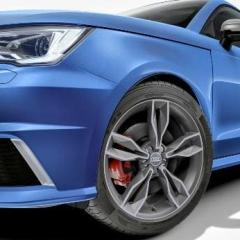
 

s1 washer jets headlights

Featured Replies

good evening all

if any mods see this post. please close my s1 for sale. Gf using car

question

I noticed over the last few days that the washer jets under the headlights don't seem to be working.

I was told you need to have the lights fully on and not in auto and hold the stork for five seconds.

nothing seemed to happen and I wonder if had been disabled via OBD.

can anyone recommend where to look to see if they have been turned off by the old owners

Hello James,

I seriously doubt that they are turnable offable. 
I believe they only operate once for x times of the windscreen washers.

Again, I believe there are two pumps -but could be wrong. 
Worth checking if you can hear a pump operating, before getting at the washer reservoir to check for voltage at the pump/pumps, and for blockage in the outlets to headlight and windscreen washers. You will then need to blow the lines out if no further issues are found.

Perhaps you could let us know how you get on.

Kind regards,

Gareth.

p.s. Re.your For Sale advert:- simply post ‘No longer available’ as an additional post next to the For Sale one. 

12 hours ago, thatukguy_james said:

good evening all

if any mods see this post. please close my s1 for sale. Gf using car

question

I noticed over the last few days that the washer jets under the headlights don't seem to be working.

I was told you need to have the lights fully on and not in auto and hold the stork for five seconds.

nothing seemed to happen and I wonder if had been disabled via OBD.

can anyone recommend where to look to see if they have been turned off by the old owners

Hidden your for sale post for you. If you decide to sell in the future I can just unhide it. 

  • Author
5 hours ago, Steve Q said:

Hidden your for sale post for you. If you decide to sell in the future I can just unhide it. 

many thanks


will have to look later when I fill up the water

  • Author

just topped up water.

put finger in the sides and flap opens and washers are in there

started car, pulled back for 20 secs on stick, nothing, no water at all or movement

Edited by thatukguy_james

1 hour ago, thatukguy_james said:

put finger in the sides and flap opens and washers are in there

Sorry but I don't understand any of that statement. Please explain.

As Magnet mentioned earlier, can you hear a pump operating when pulling the stalk?

  • Author

looking now has been turned off. can code without pro


Screenshot_20241102-135850.png

  • Author

just to update everybody I manage to solve the problem by downloading some software from a German site that re-enabled the tick at the bottom and I have now enabled them and I'm working

  • Author

yep , opened up all settings

just got to see what new tricks I can do.

also have to align the washes as very high

  • Author

so have turned them off. they were spraying all over the bonnet and looked like someone had dropped milkshake all over the front and grill

so will see if i can allign them some how

  • 2 weeks later...
  • Author

thanks, not got around to doing yet, can they be coded like a service mode to come out and stay to work on?

Create an account or sign in to comment


Background Picker
Customize Layout

Account

Navigation

Search

Search

Configure browser push notifications

Chrome (Android)
  1. Tap the lock icon next to the address bar.
  2. Tap Permissions → Notifications.
  3. Adjust your preference.
Chrome (Desktop)
  1. Click the padlock icon in the address bar.
  2. Select Site settings.
  3. Find Notifications and adjust your preference.