




Skip to content
View in the app

A better way to browse. Learn more.

Audi Owners Club (UK)

A full-screen app on your home screen with push notifications, badges and more.

To install this app on iOS and iPadOS
  1. Tap the Share icon in Safari
  2. Scroll the menu and tap Add to Home Screen.
  3. Tap Add in the top-right corner.
To install this app on Android
  1. Tap the 3-dot menu (⋮) in the top-right corner of the browser.
  2. Tap Add to Home screen or Install app.
  3. Confirm by tapping Install.

Welcome to the Audi Owners' Club - An Independent community!

Membership is completely free, and our community is built by enthusiasts, for enthusiasts. We’re a proudly independentnon-official club, so all the help and opinions you’ll find here come directly from members with real experience of Audi ownership.

Join the club now!
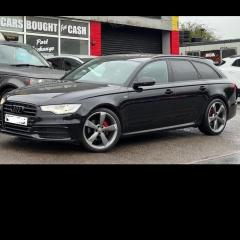
 

Parking sensors

Featured Replies

For some strange reason my parking sensors don’t work, it’s like they are turned off.

ive attached a pic of the screen plus the button is flashing yellow.

Any ideas!IMG_0763.thumb.jpeg.51436479c4fb0da02706a9608d07fbb3.jpeg

Hello Brian, Apart from what you see on the screen, what reaction do you get when you select reverse - e.g. long bleep as opposed to a short bleep etc. ?

Kind regards,

Gareth. 

Definitely need a diagnostic check, one faulty sensor can knock out the complete system 

  • Author

Hi all,

Was going to do a code check yesterday but didn’t have the time, will see if I can do it today.

As for beeps, it’s a long continuous beep then it stops and the yellow light flashes.

I will post up any codes later.

Thanks.

That’s the warning to the driver that the system is not active

  • Author

Thanks, I know I have a front sensor out but the rear was working now nothing is working.

Here is what I’ve read just now.


IMG_0764.thumb.jpeg.c7e625fa30079af8e44b3f167e0bc85d.jpeg

3 hours ago, Realist said:

Thanks, I know I have a front sensor out but the rear was working now nothing is working.

Here is what I’ve read just now.


IMG_0764.thumb.jpeg.c7e625fa30079af8e44b3f167e0bc85d.jpeg

I would be looking to test the voltage supplied to the module before doing anything else

  • Author

Where is the module and any clues what cables and voltage to check for?

From memory it’s in the drivers side qter panel, slim black box with beige plugs

With a voltmeter just pin out the back of the plug that exits the box and heads out the cars rear thru a grommet. Find your earth wire first and test that’s good. Then using that with one lead work then the other and one will/should have 12volts, the other wires are signal wires and usually carry slightly lower voltage that changes with sensor detection. If you have an earth and 12v output which might only be supplied for a few seconds as the car will shut down the outputs once it detects a fault. The next step would be rear bumper removal and check the wiring and plugs for damage or water ingress 

Hello Brian,

Is the car fitted with Park Assist?

I would still be more inclined to suspect this is a sensor issue/connection onto rather than a module issue.

As a matter of interest, is the car ever cleaned with a jet wash?

Where about in S. Wales are you? 
Kind regards,

Gareth. 

If you ain’t getting a sensor fault like the front then you need to establish power supply to module and to sensor loom first, then move from that stand point onto sensors 

You can always pull the bumper and go direct to sensor plug testing, will have 3 wires per sensor, typically wires 1 and 3 will be 12v and earth with wire 2 the return signal wire, all sensors share the same earth and live feed, signal wires will have seperate color coding on them back to the main plug so continuity testing is quite simple 

  • Author
1 hour ago, Magnet said:

Hello Brian,

Is the car fitted with Park Assist?

I would still be more inclined to suspect this is a sensor issue/connection onto rather than a module issue.

As a matter of interest, is the car ever cleaned with a jet wash?

Where about in S. Wales are you? 
Kind regards,

Gareth. 

I’m in Bargoed Gareth and on top of this since I’ve had a tow bar fitted I don’t have any rear fog lights on the car.

But when my caravan is plugged in the fogs on the caravan work fine, so I’m thinking that’s a programming issue.

Need to get the above fixed asap MOT due April.

Edited by Realist

Did your parking sensors deactivate when you plugged in your caravan as they should if it was coded and wired  correctly. No fogs on your car makes me think that someone has made a mess of wiring in the tow socket 

  • Author
On 2/9/2025 at 11:12 PM, Sid2020 said:

Did your parking sensors deactivate when you plugged in your caravan as they should if it was coded and wired  correctly. No fogs on your car makes me think that someone has made a mess of wiring in the tow socket 

I’m of the same opinion. When I call the company they come back with excuses after excuses it’s not their fault and I’m left with no fog lights on the car.

I still think it’s the coding that’s not telling the car the caravan is unplugged, so now left in limbo.

Thanks to name and shame…..


TrailerTREK Tow Bars

icon_receipt.png

196, Fletchamstead Highway, Coventry, CV4 7BB

  • Author

Owe and sensor fixed, replaced.

4 hours ago, Realist said:

Owe and sensor fixed, replaced.

Glad it’s all sorted 

  • Author

I’ve carried out a review on Trustpilot and not a good one put it that way, they’ve been emailing me all afternoon still saying it’s nothing they’ve done.

I can’t even put the car back as it was before tow bar install as I can’t un-program what they’ve done.

Wait and see the outcome.

Create an account or sign in to comment


Background Picker
Customize Layout

Account

Navigation

Search

Search

Configure browser push notifications

Chrome (Android)
  1. Tap the lock icon next to the address bar.
  2. Tap Permissions → Notifications.
  3. Adjust your preference.
Chrome (Desktop)
  1. Click the padlock icon in the address bar.
  2. Select Site settings.
  3. Find Notifications and adjust your preference.