Steve Q
Moderators
-
Joined
-
Last visited
Everything posted by Steve Q
-
That sounds strange for an s tronic. The gearbox is similar to be dsg abd is one of best autos out there. When was the gearbox oil last changed? Also if you bought it from a dealer within 30 days then you are entitled to a full refund or for them to rectify any issues FOC.
-
A failing maf should through up a fault code, plus it would usually cause the engine to run rough as in most cases a car will base the situation bas a worse case scenario with a failing maf. Get cooler failure is common on modern vag cars unfortunately.
-
That's one way of doing not I suppose 🙂
-
Any guesses?
-
Overland
-
Welcome to the forum you'll find the members on here are a friendly and helpful bunch. Night be worth submitting this on our fb group.
-
That's good. How long has it been off the road? Ie was it 2006 it went off the road? What's the service history file like?
-
Fishing
-
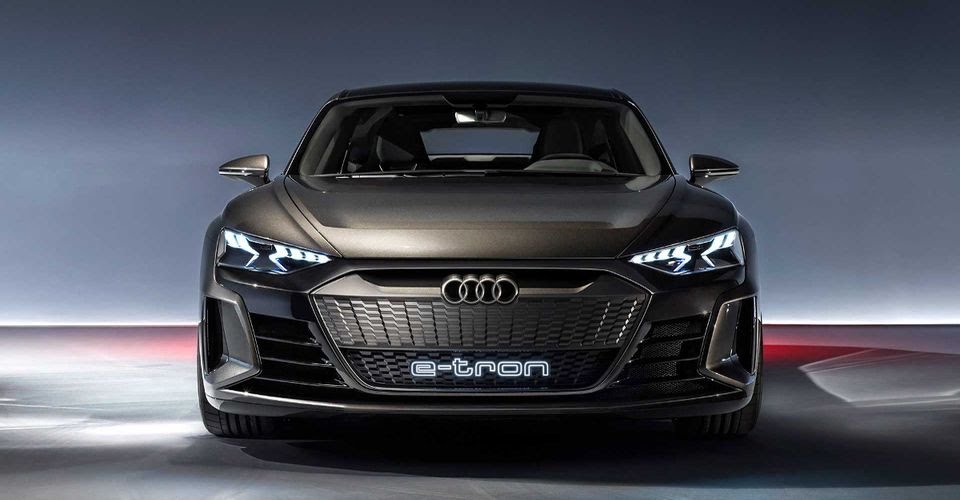
The A4 EV model will be key to Audi’s EV strategy and will go head to head with Tesla’s Model 3. Offering EV variants of the upcoming A4 is important for Audi to meet its production target of approximately 800,000 electric cars per year by 2025. As governments around the world drive down tailpipe emissions, OEMs are increasingly electrifying their model lineups to meet the new requirements. Audi, as one of the early adopters of electrification, aims to have 30 electrified models in the marketplace by 2025. Twenty of these vehicles will be fully electric. In the US, Audi has already introduced five production models: the Audi Q5 TFSI e, A7 TFSI e, and A8 TFSI e plug-in hybrid electric vehicles (PHEVs), as well as the e-tron all-electric SUV and upcoming e-tron Sportback. These compete in relatively low-volume sectors of the market. What Audi needs, if it’s to meet its production target of approximately 800,000 electrified vehicles per anum by 2025, is a mainstream model such as the A4, running off of battery power. The sixth-generation A4 is due to go on sale in 2023. Popular versions of the long-serving D-segment contender will continue to be sold in saloon and estate (Avant) body styles on a modified version of the existing MLB platform. However, there is another A4 variant lurking in the wings, one built on the all-electric PPE platform. This model will be key to Audi’s EV strategy. Not only will it go head to head with Tesla’s Model 3, but also have to fend off other manufacturers’ imminent EV offerings such as the BMW i4. According to Markus Hoffmann, head of R&D at Audi, while the company’s strategy includes mild- and plug-in hybrids the focus will increasingly shift to even more electrification in future models. Thus, in keeping with current thinking, the 2023 A4 will be anchored by a range of upgraded petrol and diesel engines equipped with either mild- or plug-in hybrid EV technologies. Offered in both front- and four-wheel-drive configurations, these electrified versions can be seen as emissions compliance vehicles designed to meet current regulations. With EU CO2 tailpipe emissions set to drop from 95 g/km to 81 g/km in 2025 Audi’s plans for the all-new A4 include a ‘Zero Emissions’ all-electric four-wheel-drive performance RS model, probably due out in 2024, and a hybrid RS4. These two electrified variants top a line-up underpinned by two different platforms – the MBL for hybrids and ICE-powered cars, and the modular PPE for battery EVs. Enabled by its modular PPE architecture the A4 ‘E-tron’ will be available in either a single-motor rear-drive or dual-motor four-wheel-drive configuration. The line-up will be crowned by the electric RS performance model developed by the Audi Sport division. This is rumored to be capable of producing up to 469bhp and 590lb-ft. As for the A4s that retain the ICE as part of a hybrid powertrain, there have been several changes made to the MLB platform’s rear structure. These modifications accommodate a 14.4kWh lithium-ion battery that powers the plug-in hybrid A4 variants. The battery is the same one used in the plug-in versions of the Q5, A6, and A7, as well as the Porsche Cayenne E-Hybrid and Panamera E-Hybrid. Dimensionally, the new A4 will probably be very similar to today’s model – about 188 inches in length, 73 inches wide, and sitting 56 inches high. This makes sense when compared to what is known about the larger A6 E-tron concept, which measures 195 inches long, 77 inches wide, and 57 inches tall. While information about the car’s styling remains sketchy, the new all-electric A4 is likely to be an evolution of the current model, rather than a radicle departure from its fuel-powered siblings. Styling changes are likely to include a blanked-off grille and other unique design elements to improve the EV’s aerodynamic efficiency. It could also be released in a five-door layout with a liftback-style tailgate, similar to that seen on the A6 E-tron. Audi has committed about €12 billion through 2024 to expand the number of EVs under the brand. Part of this investment has gone toward developing modular platforms to support a host of different models. Thus Audi’s upcoming all-electric vehicles will be built on four distinct platforms to underpin cars and SUVs across a broad range of sizes and configurations: MLB evo; J1 Performance platform; MEB Modular Electrification Toolkit; and Premium Platform Electric PPE. These modular platforms cut development time and costs by enabling engineers to use similar parts across a family of models. Thus the MEB platform will be used for small and medium electric vehicles, while the PPE platform finds application in medium to large EVs. Developed as a joint engineering exercise between Audi and Porsche, the PPE platform used in the A4 E-tron will be shared with the upcoming Audi Q6 E-tron, as well as an electric version of the second generation Macan. The architecture will also underpin the A6 E-tron, which like the A4 E-tron, will be sold alongside its legacy counterpart. The PPE platform, as used in the A4 supports a number of powertrain and battery options. The baseline model will use a single rear-mounted motor, while the premium models will be equipped with a second electric motor mounted on the front axle that can engage Quattro all-wheel-drive automatically as required. The powertrain is designed around an 800-volt architecture. Coupled with high-efficiency thermal management, this high-voltage supports ultra-high-speed charging of up to 350 kW. So, as the launch of the upcoming A4 draws closer Audi is hoping that by offering a range of EV variants it can speed up the rollout of its new age of electrification and get a head start on its traditional rivals. https://www.google.co.uk/amp/s/www.hotcars.com/heres-why-offering-ev-variants-of-the-upcoming-a4-is-important-for-audi/amp/
-
Definitely keep it. Old audis are increasing in value. What's it's history, if it's a good history then definitely a good keeper.
-
Glad you got sorted ☺️
-
So glad it was repaired under warranty ☺️
-
Glad you got sorted ☺️
-
Glad you got sorted. Sorry no one knew the answer.
-
They should be a straight swap. However, before you go out and buy new lights. It might be the case that your headlights can be adjusted for continental Europe. This would have to be done by a computer I believe if possible.
-
Ocean
-
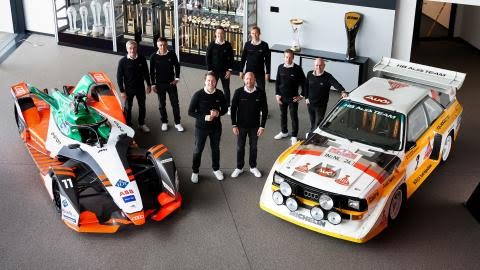
Audi will enter Dakar 2022 with a range-extender EV. Here's who's driving Back in November, Audi announced it was quitting Formula E to have a crack at winning the formidable Dakar Rally with a range-extender EV. Oh, and that it’d re-enter Le Mans in 2023. And now we know who will be driving the team’s three Dakar cars come January 2nd 2022, when the world’s toughest rally gets underway in Ha’il, Saudi Arabia. First up is Stéphane Peterhansel. The 55-year-old Frenchman has won the Dakar a record-breaking 14 times – six times on a motorcycle, eight times in a car. His co-driver is Edouard Boulanger. The pair won this year’s rally, their first as a team, for Mini. Next we have none other than Carlos Sainz. The two-time WRC champion and three-time Dakar winner (his last was in 2020) will be supported by long-time co-driver Lucas Cruz. Last, and by no means least, we have Mattias Ekström and his co-driver Emil Bergkvist. Ekström has won the DTM title twice, the World Rallycross Championship once and also competed in NASCAR, the WRC and Aussie Supercars. This year he’s racing for Cupra in Extreme E. 2022 will be his second Dakar. So… Audi’s not messing about, is it? Julius Seebach, Managing Director of Audi Sport, says “It’s no exaggeration to speak of a ‘dream team’”. “Stéphane is the most successful Dakar driver of all time. Carlos is a multiple Dakar winner and World Rally champion. With Mattias, we already celebrated many Audi successes in the past. He is one of the world’s most versatile drivers.” The teams will campaign a new Audi off-road racer that’s currently in development. It’ll take the form of a range-extender EV that pairs a high-voltage battery with a “highly efficient TFSI engine” to keep it charged. Fancy their chances? https://www.google.co.uk/amp/s/www.topgear.com/car-news/electric/audis-new-dakar-drivers-have-17-rally-wins-between-them%3famp
-
Great to hear 👍 you should be able to track the build online I believe.
-
Correct! Here's an easy one....
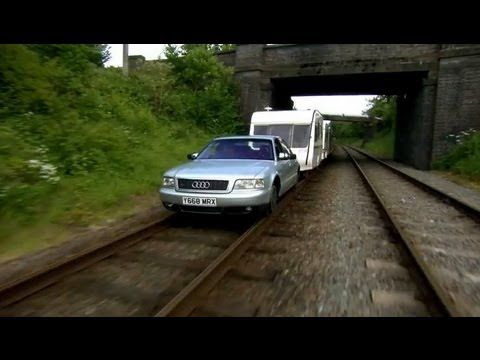

-
Correct!
-
Robot
-
My advice would be to see what a local independent garage would charge fitting genuine Audi discs and pads.
-
Good luck 🤞 hope it sorts the issue for you 😊
-
Living
-
It's disgraceful really. Glad you're sorted 🙂